🐾 How it works
Open appWalk Prioritizer reads your kennel whiteboard and ranks every dog by who needs a walk most.
Open the app and add a photo
You'll see a welcome message and an upload area. Tap "Add photo" and take a picture of the kennel whiteboard — or choose one from your camera roll. Try to keep it clear and straight-on, and avoid glare if you can. Add a photo of each whiteboard separately. Always crop out any adjacent boards — partial boards visible at the edges can confuse the app.
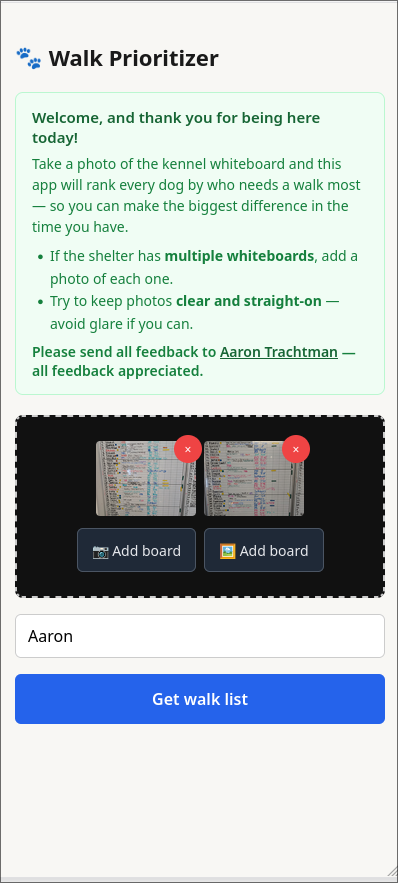
Tap "Get walk list"
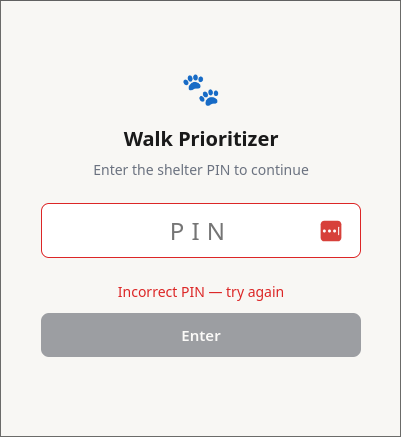
Hit submit and the app will read the whiteboard. On your very first visit, you'll be prompted to enter a PIN — your coordinator will give this to you. Once you've entered it, it's saved so you won't need to type it again.
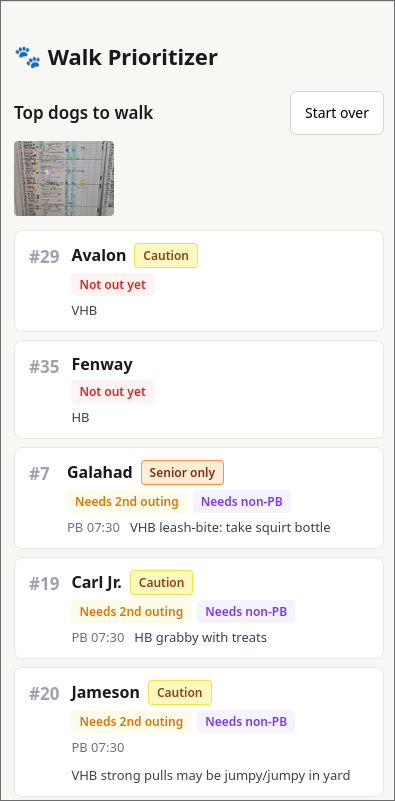
Read the walk list
Dogs are ranked by who needs a walk most. Work from the top down to make the biggest difference in the time you have. Tap "Start over" when you're ready to re-scan the board.
How dogs are ranked
Every dog is scored based on two things: how many times they've been out today, and whether any of those outings was a real walk (not just a potty break). Dogs are grouped into five tiers, in order of priority:
| Priority | Situation |
|---|---|
| 1 — Highest | Hasn't been out at all today |
| 2 | One outing, potty break only — needs a second outing and a real walk |
| 3 | Multiple outings, but only potty breaks — needs a quality walk |
| 4 | One outing, real walk — needs a second outing |
| 5 — Lowest | Well covered — multiple outings including at least one real walk |
Within each tier, dogs who were walked least recently appear first.
Unavailable dogs — Any dog whose row shows "Surgery", "Offsite", or "Overnight" is automatically moved to a dimmed "Unavailable" section at the bottom of the list. They're still shown so you have a complete picture of the board.